A Windows Update failure is frustrating partly because the error messages rarely explain what actually went wrong. The update either hangs, rolls back, or throws an error code, and the system offers nothing useful about the cause. Understanding the underlying causes behind most Windows Update problems makes troubleshooting considerably more logical. Each points to a […]
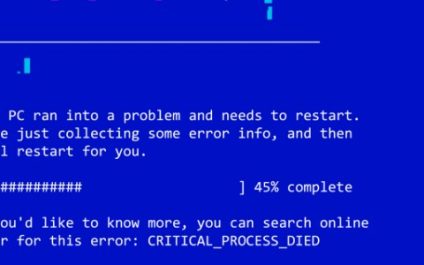
Windows Update failures explained: Why they happen and how to fix them
Windows keyboard shortcuts worth learning: Snap, taskbar, task view, and more

Most Windows users rely on a handful of shortcuts — typically copy, paste, and undo — and leave a long list of more useful combinations untouched. That means they’re missing out on shortcuts that can make built-in features such as window management, virtual desktops, and taskbar navigation significantly faster to use. They take only minutes […]
Windows Update not working? Here’s how to fix the most common problems

A failed Windows Update is more than a minor annoyance. It leaves your system without the latest security patches and can signal an underlying issue that’s worth addressing. The good news is that most Windows Update failures respond to a structured troubleshooting process, starting with a few quick checks and escalating only if the basics […]
Windows 11’s July 2026 update: What’s new and why it matters

Microsoft’s monthly Windows 11 updates are typically straightforward: you install them and move on. However, the July 2026 Security Update, which began rolling out on July 14 for Windows 11 versions 24H2 and 25H2, is worth a closer look. It introduces a useful new recovery feature, gives users more control over when updates install, and […]
Microsoft Edge features that help you work smarter in 2026

Microsoft Edge has been around for years, but users are still overlooking some nifty features beyond its web browsing capabilities. In 2026, the browser has several newer tools and clever built-in features that can help users organize research, manage tabs, share files, listen to content, and work more efficiently. Here are the Microsoft Edge features […]
Improve your PC experience with simple disk cleanups
Your computer collects junk files over time, which can slow down its performance. To keep your PC running at its best, it’s important to perform regular maintenance. In this article, we’ll explore how clearing out cluttered data with a disk cleanup can help optimize your system’s speed and overall functionality. What is disk cleanup? Disk […]
Why the next Windows 11 update is skipping Intel and AMD

Microsoft’s upcoming Windows 11 26H1 update is rolling out only to devices powered by Snapdragon chips, at least for now. While it might seem like Snapdragon is getting special treatment, the move has more to do with timing, development cycles, and Microsoft’s push for AI-ready devices than playing favorites. Why is Microsoft prioritizing Snapdragon devices? […]
Windows 11’s AI makeover unveiled at Ignite 2025

At Ignite 2025, Microsoft officially announced that AI will be a core component of Windows 11. Upcoming updates to the OS will introduce integrated AI agents, enhanced Copilot features, and expanded cloud capabilities, all designed to create a smarter, more connected workspace. These innovations highlight Microsoft’s vision of an AI-driven Windows experience while making sure […]
How Windows 10’s sunset is fueling a platform shift

Mac sales are climbing faster than the rest of the PC market, and the timing is no coincidence. With Windows 10 support ending and AI-capable hardware becoming essential, more businesses are reevaluating their next devices. This shift is reshaping the competitive landscape, and Apple is emerging as one of the biggest beneficiaries. Strong numbers highlight […]
Meet your newest employee: Windows Copilot can now do the boring stuff for you
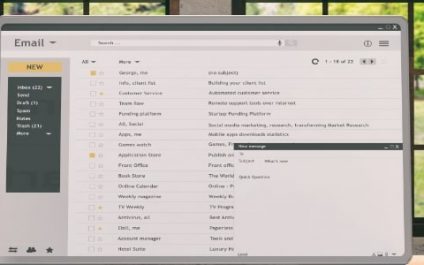
You didn’t start a business to spend your evenings renaming files or copy-pasting numbers from PDF invoices. Yet, for many small-business owners, these repetitive administrative tasks eat up valuable hours that could go toward strategy or client relationships. Fortunately, Microsoft’s Copilot Actions is a new feature designed to handle these mundane chores for you. What […]